How to leave voice feedback on the WRVO App
We love hearing from our listeners! The WRVO app makes it easy to share your thoughts, feedback, or story ideas with our staff through voice messages. Here's how to do it:
Step-by-step instructions
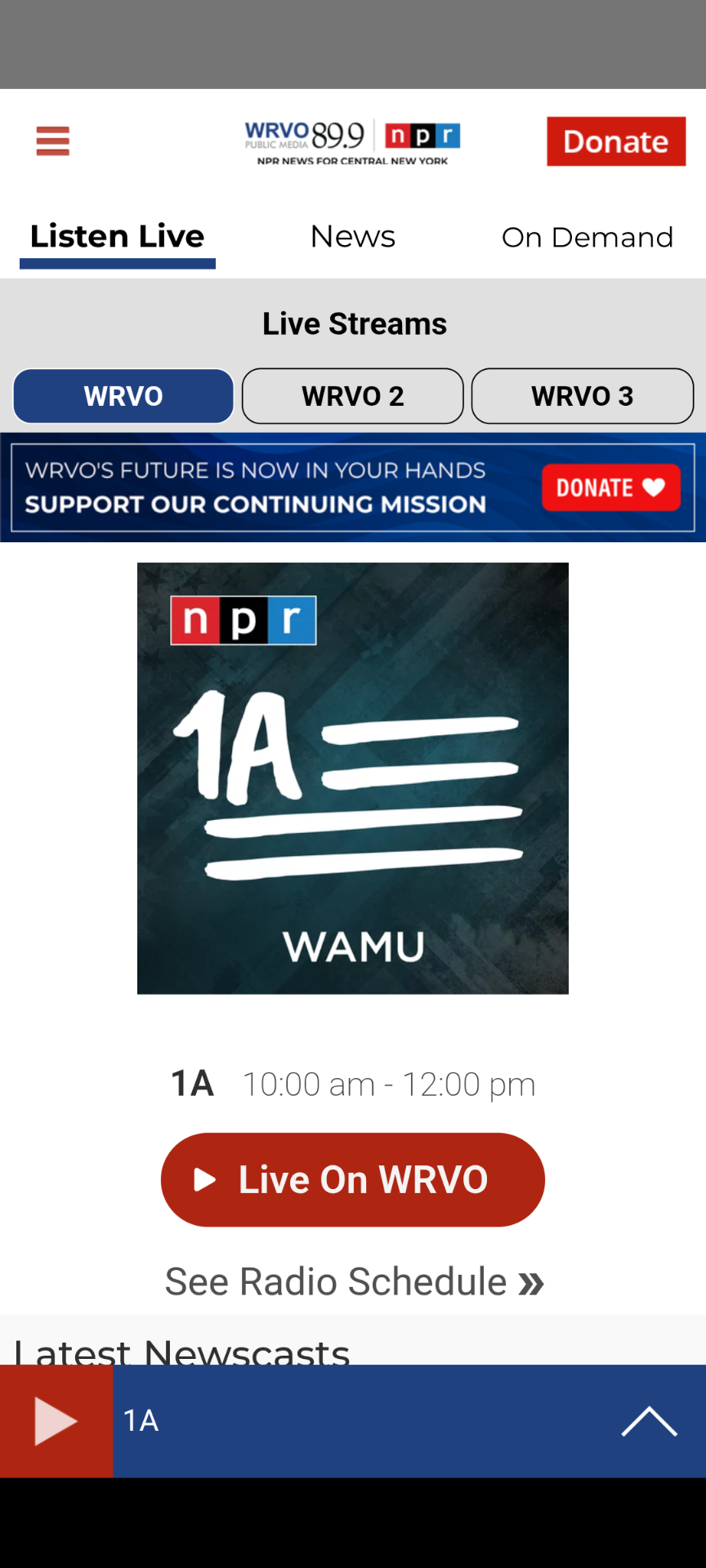
- Open the menu: Activate the main menu button, located in the top-left corner of the app (visually represented by three horizontal lines).
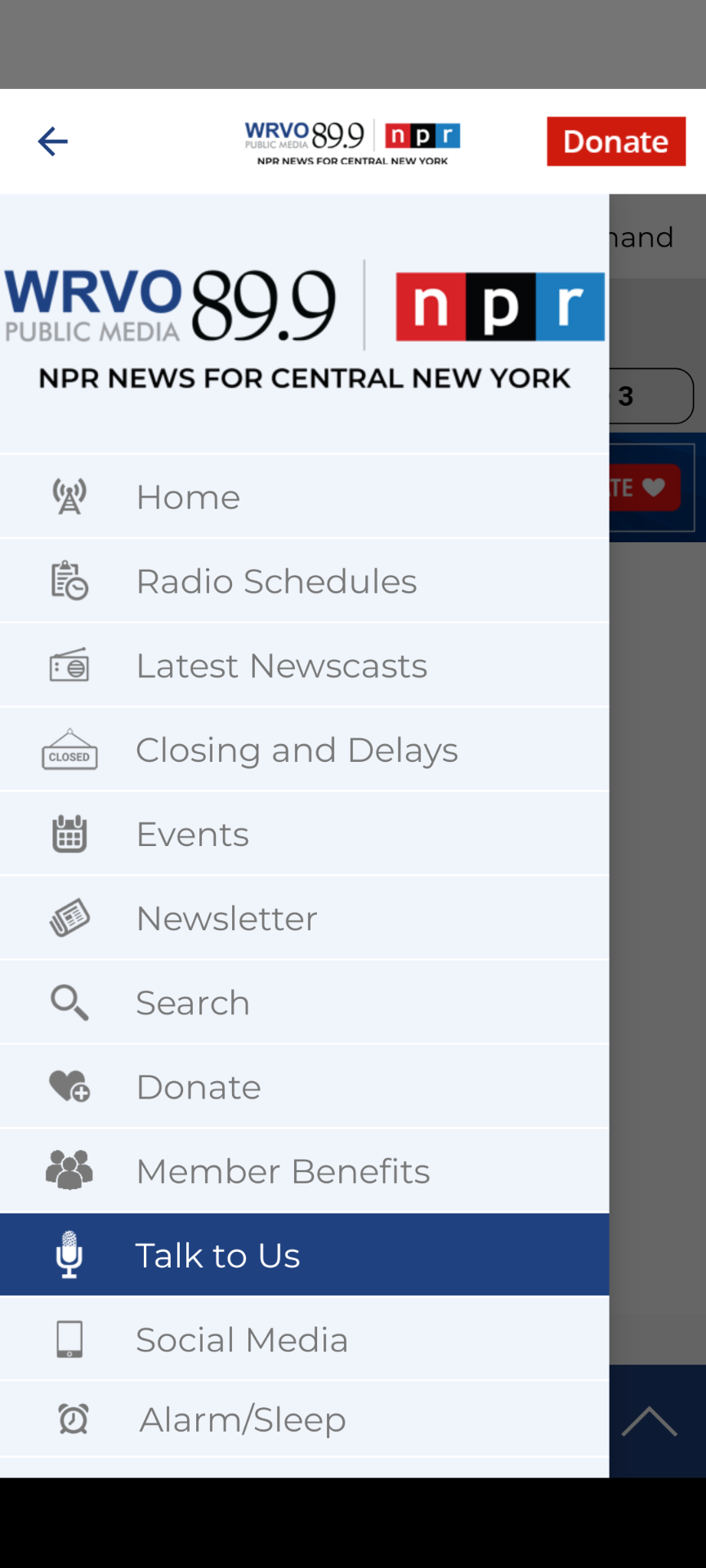
- Find "Talk to Us": Navigate through the menu options and select "Talk to Us."
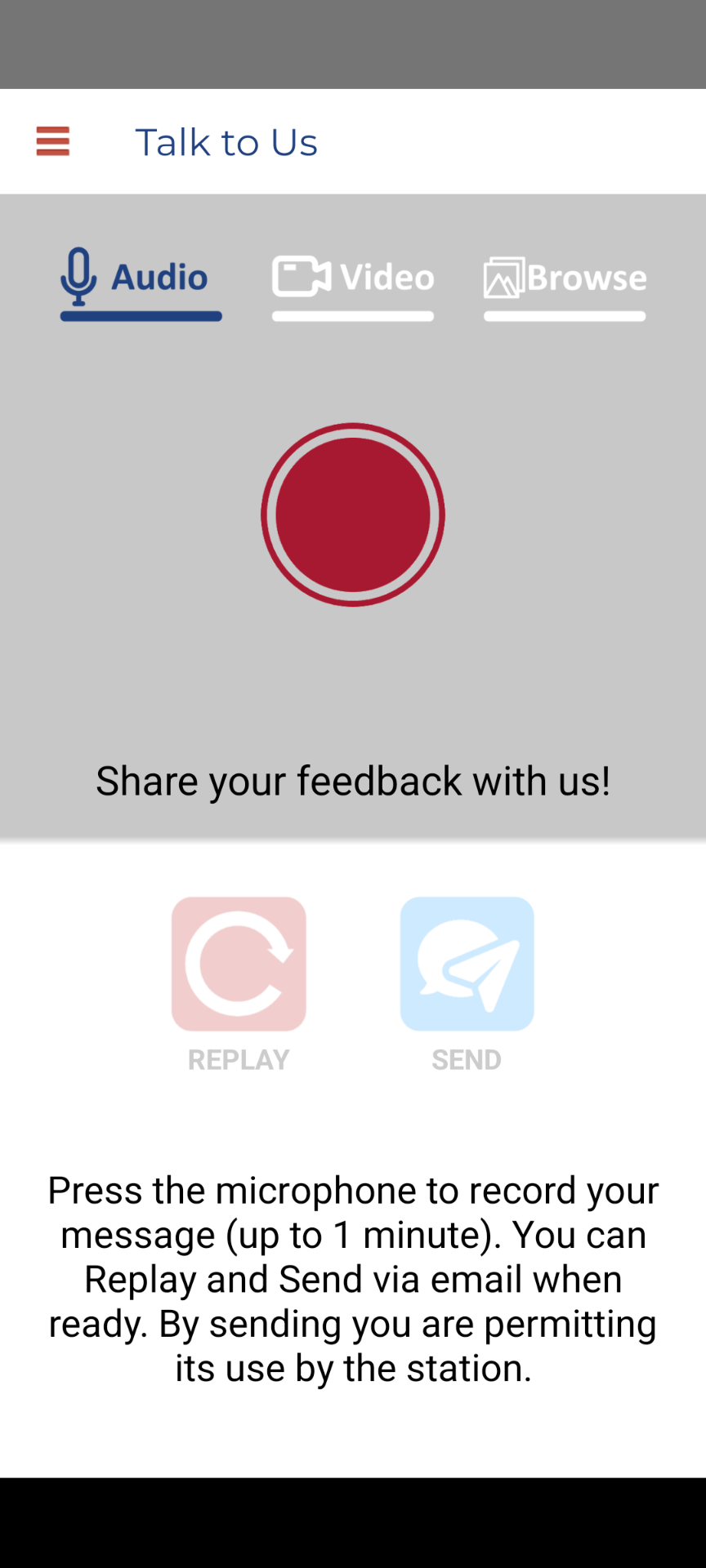
- Choose your recording method: Ensure the Audio tab is selected at the top of the screen.
- Record your message: Activate the large, circular record button in the center of the screen to begin. Speak clearly into your phone's microphone. (Important: Keep your message under 1 minute). Select the button again when you are finished.
- Review and send: After recording, you can select the replay button (circular arrow icon) to listen to your message, or select the send button (paper airplane icon) to deliver it to the station.
Tips for success
- Find a quiet space to record.
- Hold your phone close to your mouth.
- Speak clearly and at a normal pace.
- If you make a mistake, simply record again.
- Remember: By sending your message, you're giving the station permission to use it on-air.
Need help?
If you have trouble with the app, please email the WRVO Digital Team. We appreciate all feedback from our central and upstate New York community!
Don't have the app yet? Download it for free on iOS and Android devices.